
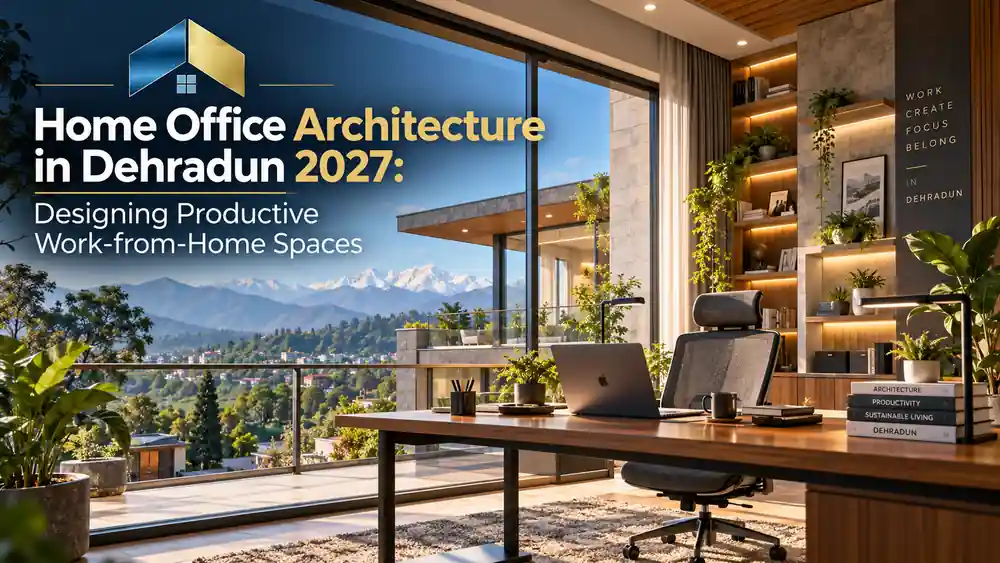
Home Office Architecture in Dehradun 2027: Designing Productive Work-from-Home Spaces
Working from home has changed how people use their houses. A spare bedroom, a quiet corner near a window, or a thoughtfully planned study can now serve as an important workspace. However, a productive home office requires more than a desk and a comfortable chair. It needs the right lighting, acoustic privacy, ventilation, storage, electrical planning, and a layout that supports everyday work.
Home Office Architecture in Dehradun is becoming an important consideration for homeowners planning new houses, renovating existing properties, or creating dedicated workspaces for remote and hybrid working. In 2027, the emphasis should be on designing workspaces that balance productivity, comfort, technology, sustainability, and the overall character of the home.
For homeowners in Dehradun, climate-responsive planning is particularly important. The city experiences seasonal temperature variations, substantial monsoon rainfall, and periods of high humidity. According to the official Dehradun district climate information, much of the district’s annual rainfall occurs between June and September, with July and August among the wettest months.
This makes thoughtful window placement, moisture management, daylight control, and ventilation essential parts of a well-designed home office.
1. Why Home Office Architecture Matters in 2027
A home office should support concentration without making the rest of the house feel like a workplace. Poorly planned workspaces can create problems such as screen glare, distracting noise, insufficient storage, uncomfortable furniture arrangements, and tangled cables.
Architectural planning addresses these issues before they become expensive renovation problems.
A well-designed workspace can provide:
- Better separation between professional and personal activities.
- Convenient access to natural light and fresh air.
- Greater acoustic privacy for meetings and calls.
- Efficient storage for documents, devices, and work materials.
- A comfortable environment for extended periods of desk work.
- Lower dependence on artificial lighting when daylight is available.
- Flexibility for changing work routines and technology.
The goal is not necessarily to create a large office. It is to create a workspace that fits the household, the available floor area, and the type of work being performed.
2. Plan the Right Location Inside Your Home
The first architectural decision is choosing where the office should be located. A suitable location can improve concentration without requiring major construction.
A dedicated home office room
A separate room is often the best option for professionals who attend frequent video meetings, manage confidential information, or need uninterrupted concentration.
A dedicated room allows better control over lighting, sound, storage, and temperature. It can also be closed off when the workday ends, helping maintain a clearer boundary between home and work.
If you are planning a new house, consider locating the office away from noisy living areas, television rooms, and busy circulation routes.
A flexible workspace in a small home
Not every home has an extra bedroom. In apartments and compact houses, a workspace can be integrated into a bedroom, a quiet living-room corner, or an underused passage where sufficient space and safe circulation are available.
Built-in desks, wall-mounted shelves, sliding panels, and concealed cable management can help create a functional workspace without overwhelming the interior.
The key architectural principle: design the office around the actual working routine rather than choosing furniture first and trying to fit it into the available space later.
3. Use Natural Light Without Creating Screen Glare
Lighting is one of the most important elements of home office design. A room may look attractive but remain uncomfortable for work if sunlight reflects directly off a computer screen or the desk stays dim throughout the day.
Natural daylight can make a workspace feel more inviting and reduce the need for electric lighting during suitable hours.
Window placement and orientation
During architectural planning, assess the direction of sunlight, neighbouring buildings, outdoor views, and possible obstructions.
Place the desk so that daylight reaches the work surface without producing strong reflections on the monitor. For many computer users, placing the screen perpendicular to the main window can be a useful starting point. The best arrangement will depend on the room’s orientation and the position of the sun.
In Dehradun, roof overhangs, external shading, blinds, or adjustable curtains can help manage direct sunlight and seasonal weather.
Layered artificial lighting
A practical home office usually needs three types of lighting:
- Ambient lighting: provides general illumination throughout the room.
- Task lighting: directs light towards reading, writing, or detailed work.
- Accent lighting: highlights selected architectural features or shelves.
Choose fixtures that provide adequate illumination without harsh glare. Adjustable desk lamps are particularly useful where different tasks require different lighting conditions.
Practical lighting details
Use matte finishes around the workstation to reduce distracting reflections. Position lamps carefully to avoid casting shadows over paperwork, and ensure that the lighting works well during cloudy monsoon afternoons and after sunset.
The aim is visual comfort, not simply making the room as bright as possible.
4. Design for Dehradun’s Climate
Climate-responsive design should be considered at the beginning of a home office project rather than added as an afterthought.
Dehradun’s seasonal rainfall, changing temperatures, and humid monsoon conditions can affect indoor comfort, building materials, and equipment.
Ventilation and indoor comfort
Where outdoor conditions allow, appropriately placed windows can support natural ventilation. Openings on different sides of a room may help create cross-ventilation when the building layout and surrounding conditions permit it.
However, opening windows is not always the best option during heavy rain, excessive humidity, outdoor pollution, or noisy periods. Consider a suitable combination of natural ventilation, fans, shading, and mechanical ventilation or cooling where necessary.
The World Health Organization’s healthy housing guidance highlights the importance of integrating ventilation, thermal comfort, insulation, and daylight into residential design.
Protect against dampness and moisture
A home office contains electronic equipment, documents, wooden furniture, and other materials that may be affected by moisture.
During design and renovation:
- Inspect walls and ceilings for existing damp patches.
- Address water seepage and roof or plumbing leaks before installing furniture.
- Ensure that rainwater is directed away from the building appropriately.
- Use suitable finishes for the room’s exposure and moisture conditions.
- Avoid placing valuable equipment directly against persistently damp walls.
- Maintain ventilation and promptly investigate recurring condensation.
Moisture-resistant materials can help, but they do not replace proper diagnosis and correction of the underlying water problem.
5. Create Acoustic Privacy for Meetings and Focused Work
Noise is a common challenge in home offices. Family conversations, street traffic, nearby construction, television sound, and household appliances can interrupt meetings and concentration.
Good acoustic design begins with the location of the room.
Where possible, position the workspace away from noisy areas. Solid, well-fitted doors and appropriate window assemblies may help reduce sound transmission. Curtains, rugs, upholstered furniture, and bookshelves can improve the room’s acoustic character, although they do not provide complete soundproofing.
For a dedicated office, an architect can assess whether additional wall, ceiling, door, or window treatments are justified.
Acoustic planning for video calls
If you regularly attend online meetings, consider the position of the microphone, the background behind your chair, and the location of reflective surfaces.
Large bare walls and hard surfaces may contribute to echo. A carefully selected combination of curtains, acoustic panels, soft furnishings, and furniture can help create clearer speech.
True sound isolation requires a more detailed assessment of the room’s construction and the noise source. Decorative acoustic panels alone cannot make a room soundproof.
6. Make Ergonomics Part of the Architectural Layout
Ergonomics concerns how the workspace supports the person using it. Architecture establishes the room dimensions and circulation, while furniture and equipment determine much of the workstation’s final comfort.
A productive office should allow the user to sit comfortably, position the screen appropriately, and change posture during the day.
Desk and chair selection
Choose a desk that provides enough surface area for the computer, keyboard, documents, and other equipment used regularly.
The chair should offer suitable adjustment and back support. Ideally, the workstation should allow the user’s shoulders to remain relaxed, elbows to stay near the body, and feet to rest comfortably on the floor or an appropriate footrest.
Avoid choosing a desk solely because it looks attractive in a photograph. Its height, depth, storage arrangement, and relationship to the room are more important for everyday use.
Screen placement and circulation
Position the monitor to reduce glare and allow a comfortable viewing posture. Keep frequently used equipment within easy reach and leave sufficient space to move the chair without blocking the door or main walking route.
If the office is also used as a guest room, plan the desk, bed, wardrobes, and circulation together. This prevents the workstation from becoming difficult to use whenever the room serves another purpose.
7. Integrate Storage, Technology, and Electrical Planning
A cluttered workstation can reduce the usable desk area and make routine tasks less convenient. Storage should be designed around what the person actually needs to keep close at hand.
Consider a combination of closed cabinets for paperwork, open shelves for frequently used items, drawers for accessories, and concealed storage for routers or charging equipment where ventilation and access requirements permit.
Plan electrical points before construction
The location of sockets and data connections should be decided before furniture installation.
Identify the intended positions of the computer, monitor, printer, router, task light, and charging devices. Provide sufficient accessible outlets and avoid excessive reliance on extension boards.
Electrical planning should also consider earthing, circuit protection, cable routing, and the applicable safety requirements. Have electrical work designed and installed by qualified professionals.
For work that depends on internet connectivity, identify the most reliable connection route early. Depending on the property, this may involve a wired network connection, a suitable Wi-Fi access point, or provision for backup connectivity.
Prepare for future upgrades
A workspace designed for 2027 should be flexible enough to accommodate changes in devices and working arrangements.
Accessible cable routes, spare conduit capacity where appropriate, adaptable shelving, and replaceable lighting can make future updates easier. Avoid permanently enclosing equipment that requires regular maintenance or ventilation.
8. Choose Sustainable and Durable Interior Materials
A home office should be visually comfortable, easy to maintain, and suitable for Dehradun’s seasonal conditions.
Material selection can influence durability, maintenance requirements, indoor air quality, and energy use.
Where appropriate, consider responsibly sourced timber, durable engineered boards, low-emission paints and finishes, repairable furniture, and efficient lighting. The best selection depends on the project’s budget, exposure to moisture, and intended lifespan.
A balanced colour palette
Neutral wall colours, natural wood tones, and restrained accent colours can create a calm backdrop for work. However, the colour scheme should respond to daylight availability, room size, personal preference, and the appearance of video-call backgrounds.
Light-coloured matte surfaces may help distribute light without creating the reflections associated with glossy finishes.
Biophilic design and views
A view of greenery, a well-positioned indoor plant, or a connection to an outdoor courtyard can improve the visual character of a workspace.
Where possible, include plants that suit the available daylight and maintenance routine. Avoid allowing decorative elements to obstruct windows, ventilation openings, or the working surface.
Sustainability is not simply about adding plants. It also involves selecting durable materials, reducing unnecessary construction, using daylight effectively, and planning for long-term maintenance.
9. Privacy, Video Calls, and Visual Design
Modern home offices often serve as professional meeting spaces. Their visual appearance should be considered alongside practical requirements.
A well-planned background might include a bookshelf, a simple wall finish, restrained artwork, or a small amount of greenery. Keep the background organised without turning it into a distracting display.
For rooms facing neighbouring properties or public streets, consider privacy screens, suitable curtains, or carefully positioned windows.
The office should also provide visual privacy for documents and screens, particularly when other household members share the room. If confidential conversations are frequent, acoustic separation and a door that closes securely may be important design priorities.
10. Home Office Design Ideas for Different Budgets
Good architectural planning does not depend entirely on expensive furniture or a large floor area. The right approach depends on whether you are designing a new home, renovating an existing room, or creating a small work corner.
Compact home office
For a small bedroom or apartment, use a space-efficient desk, vertical shelving, concealed cable management, and a suitable task light.
A fold-away or wall-mounted desk may work where the workspace is used intermittently. Ensure that the arrangement remains stable, comfortable, and easy to access.
Dedicated professional workspace
For a separate office, consider improved acoustic separation, built-in storage, layered lighting, reliable data connections, and a carefully selected desk and chair.
If clients visit the property, consider circulation, privacy, and whether the workspace should have a convenient entrance without disturbing the household.
Home office in a new house
New construction provides the greatest opportunity to coordinate orientation, windows, electrical points, ventilation, shading, and furniture layouts from the beginning.
This is often the most efficient stage to resolve design conflicts because changes can be made before construction is complete.
Renovating an existing room
When working with an existing room, begin by assessing daylight, noise, dampness, electrical capacity, and the available floor area.
Prioritise improvements that address the main limitations before investing in decorative finishes. A well-positioned desk and better lighting may deliver more practical value than an elaborate wall treatment.
11. The Architectural Design Process
A successful home office project begins with understanding how the room will be used.
Step 1: Define the work routine
Identify the number of people using the workspace, the frequency of video meetings, equipment requirements, storage needs, and whether the room will serve additional purposes.
Step 2: Assess the site and room
Review dimensions, orientation, daylight, ventilation, noise, moisture exposure, and existing electrical points. For new construction, consider how the office relates to the rest of the house.
Step 3: Prepare the layout
Develop a furniture plan that coordinates the desk, chair, storage, windows, door swings, and circulation. Check the arrangement against the user’s actual working needs.
Step 4: Coordinate technical requirements
Coordinate lighting, electrical installations, data connections, ventilation, shading, and acoustic treatments with the architectural design.
The Bureau of Indian Standards’ National Building Code overview covers building requirements, including lighting and natural ventilation, electrical installations, acoustics, and sustainability. Applicable local rules and professional requirements should be checked for the specific project.
Step 5: Plan construction and installation
Finalise drawings and material specifications before work begins. Coordinate furniture dimensions with electrical points and lighting positions, and check installation quality before the room is put into regular use.
Small details worth checking
Confirm that drawers can open fully, doors do not collide with furniture, cables do not cross walking routes, and maintenance access is available for electrical and ventilation equipment.
Final design principle
The most successful home office is the one that fits the user’s real working routine, not simply the one that looks impressive in a photograph.
12. Common Home Office Design Mistakes to Avoid
Even an attractive workspace can be inconvenient if important details are overlooked.
Avoid these common mistakes:
- Placing the desk where sunlight reflects directly on the screen.
- Choosing furniture before measuring the room.
- Ignoring noise from roads, kitchens, and shared living areas.
- Installing shelves that reduce natural light or block ventilation.
- Providing too few electrical outlets or poorly positioned data points.
- Using finishes that are unsuitable for damp conditions.
- Treating decorative acoustic panels as complete soundproofing.
- Overlooking storage and leaving cables exposed across the floor.
- Filling the room with furniture and restricting movement.
- Ignoring the need to update or maintain electrical and mechanical systems.
Careful planning can prevent many of these problems before they require costly changes.
Frequently Asked Questions
1. What is the ideal location for a home office?
A quiet room with suitable daylight, ventilation, and sufficient space for a desk and chair is usually a good starting point. The best location depends on the home’s layout, outdoor noise, orientation, and the user’s working routine.
2. Can I create a home office in a small bedroom?
Yes. A compact desk, vertical storage, suitable lighting, and carefully planned circulation can create a useful workspace in a small bedroom. The arrangement should preserve comfortable access to the bed, wardrobe, and door.
3. How can I reduce noise in my home office?
Start by selecting a quieter location. Well-fitted doors and windows, appropriate construction assemblies, curtains, rugs, and acoustic treatments may help. The right solution depends on whether the noise comes through walls, windows, doors, or the building structure.
4. What should I consider when designing a home office in Dehradun?
Consider seasonal daylight, monsoon rainfall, ventilation, humidity, moisture protection, outdoor noise, and reliable electrical and internet connections. The design should respond to the specific property rather than relying on a standard layout.
5. Is an architect necessary for a home office?
A simple workstation may need only careful furniture planning. An architect can add value when the project involves a new room, structural alterations, built-in furniture, complex lighting, acoustic separation, ventilation changes, or coordination with the wider house design.
6. How can I make my home office more sustainable?
Use daylight effectively, select efficient lighting, choose durable and appropriate materials, reduce unnecessary construction, and design storage and furniture that can adapt to future needs. Ventilation and cooling should be planned together to balance comfort and energy use.
Conclusion: Design a Workspace That Works for You
A productive home office is the result of thoughtful planning rather than expensive furniture alone. Natural light, acoustic privacy, ergonomic furniture, reliable electrical connections, suitable ventilation, and durable materials all contribute to a workspace that supports everyday work.
For homeowners considering Home Office Architecture in Dehradun, 2027 is an opportunity to create more adaptable and climate-responsive living spaces. Whether you are planning a new house, renovating a spare bedroom, or integrating a workstation into a compact apartment, early architectural decisions can improve comfort and reduce avoidable design compromises.
Heritage Architects can help homeowners explore practical residential layouts, interior planning, material choices, and site-specific design solutions. Visit Heritage Architects to learn more about architectural services and discuss a workspace tailored to your home.



Leave a Reply